AI Receptionist & Voice AI

Voice AI agents that answer inbound calls, qualify leads, book appointments and hand over to a person when they should.

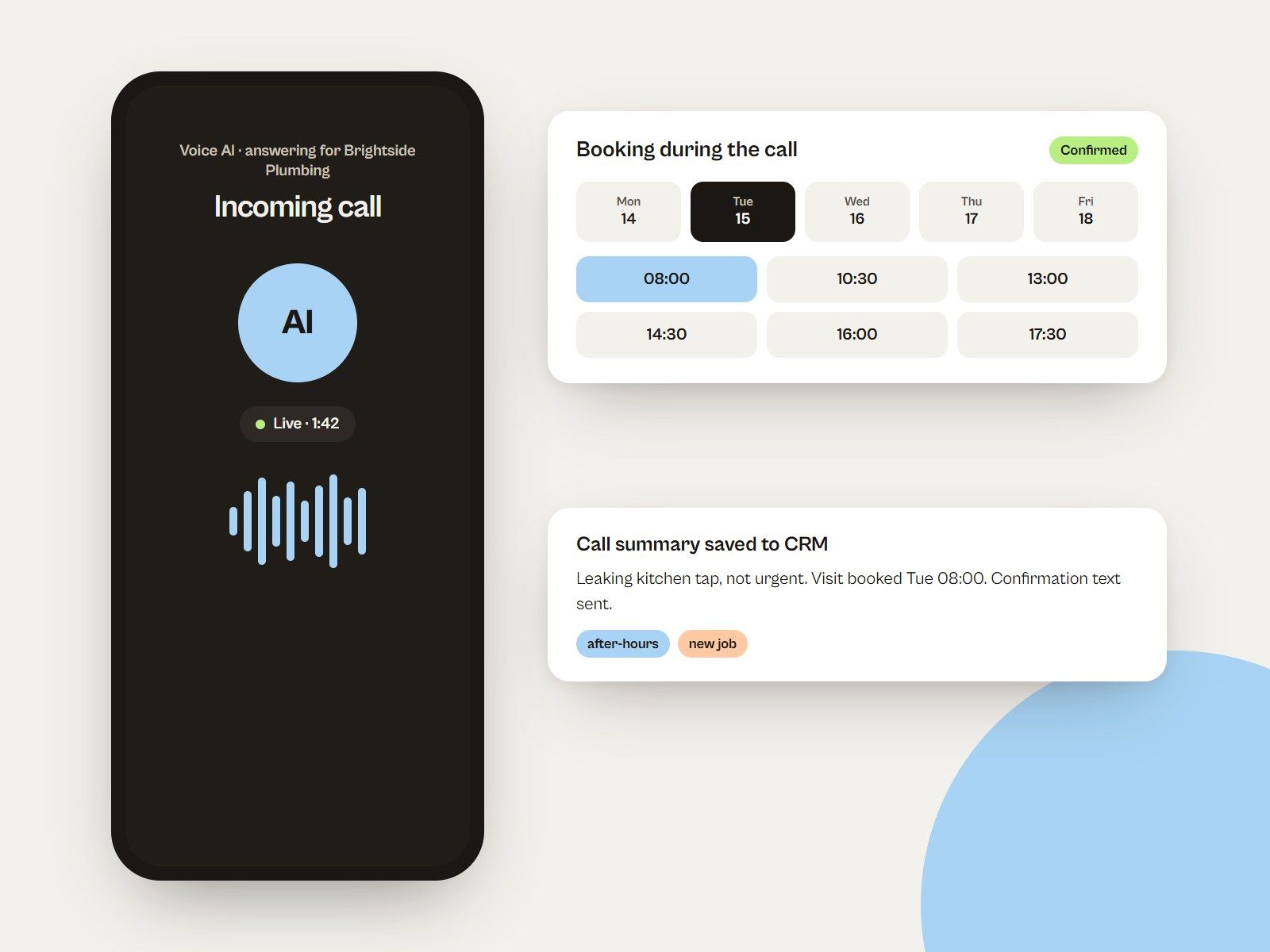
Illustrated Voice AI call booking a plumbing visit during the call, with the summary saved to the CRM
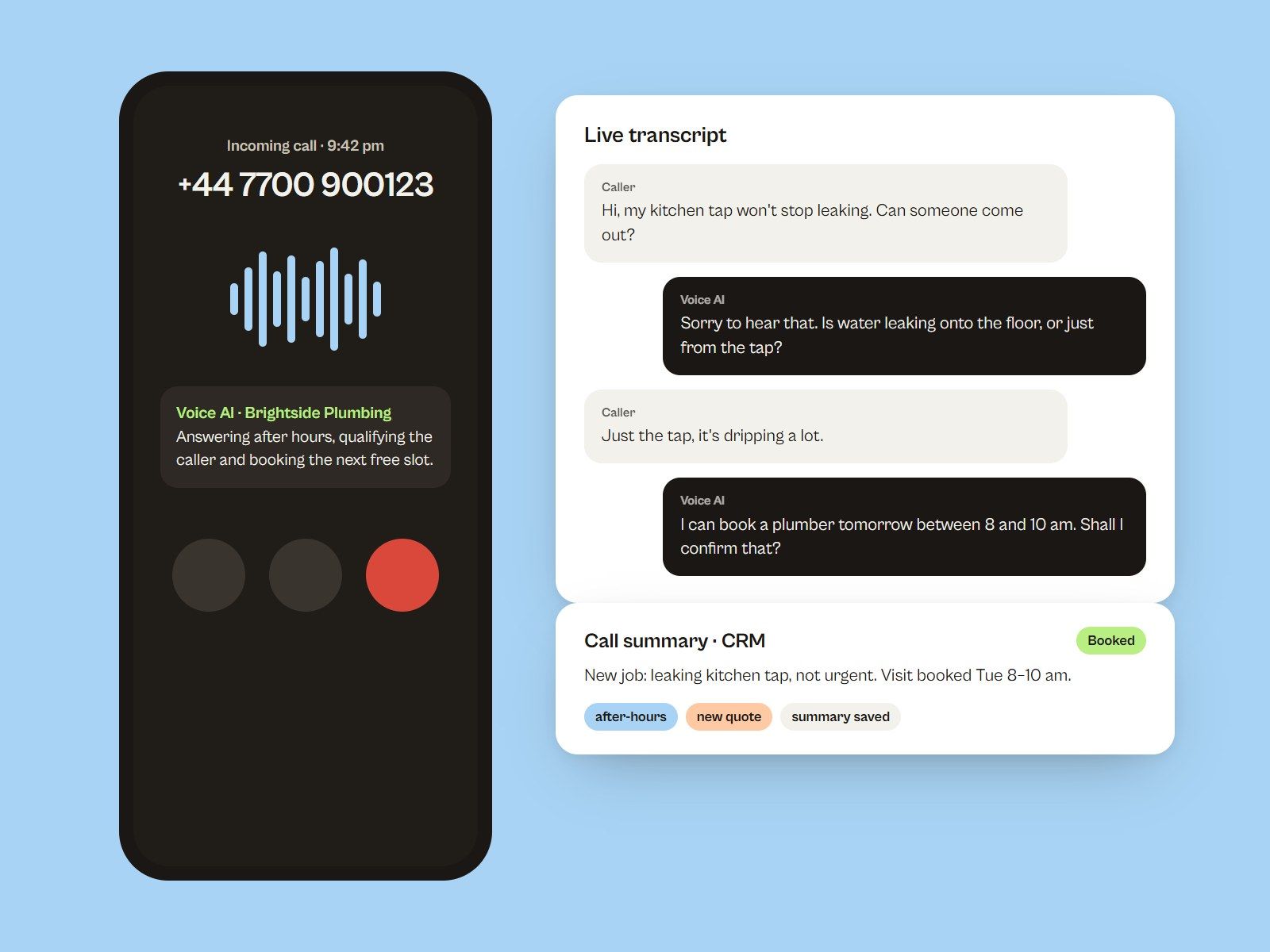
Illustrated after-hours call answered by a Voice AI receptionist, with the live transcript and the call summary saved to the CRM
Demonstration concept: After-Hours Voice AI Receptionist

What this service solves

Missed calls are missed customers, especially after hours. An AI receptionist answers every inbound call, has a natural conversation based on your business information, and takes the next step: booking an appointment, capturing the details or routing the caller to a person.

I configure Voice AI agents with business-specific conversation flows, connect them to your calendar and CRM, and set clear rules for when a call should escalate to a human.

Problems I fix

What usually goes wrong, and what I do about it.

  • Problem: Calls after hours go to voicemail, and callers do not leave one.

    Solution: Every call answered, day or night, with the next step taken in the call.

  • Problem: Staff are interrupted by the same questions all day.

    Solution: The agent answers routine questions from approved business information.

  • Problem: Calls are never logged, so leads disappear.

    Solution: Each call creates or updates a CRM contact with a written summary.

  • Problem: Urgent callers wait in a queue with everyone else.

    Solution: Clear escalation rules transfer urgent calls or flag them straight away.

What's included

  • AI receptionist configuration
  • Voice AI agents
  • Inbound call handling
  • Lead qualification
  • Appointment booking workflows
  • Business-specific conversation flows
  • Call routing and escalation
  • CRM integrations

A good fit for

  • Clinics, salons and service businesses that miss calls during busy hours
  • Businesses that want after-hours call answering
  • Teams that want every call logged in their CRM automatically

How we'll work

  1. Script the calls

    Common call reasons, the questions to ask and what a good outcome looks like for each.

  2. Configure the agent

    Knowledge, voice, tone, booking rules and escalation paths.

  3. Connect

    Calendar, CRM records, call notes and follow-up workflows.

  4. Listen and refine

    Review real test calls and tighten the flow where it hesitates.

What you get at handover

  • Configured Voice AI agent with your business knowledge
  • Call flows for each call reason
  • Calendar booking and CRM call summaries
  • Escalation and transfer rules
  • Test call review and a tuning session

Tools and platforms

  • GoHighLevel Voice AI
  • GoHighLevel calendars
  • Phone numbers
  • Workflows
  • CRM

Your accounts, domain and hosting stay in your name; I work through access you can remove at any time.

Ways to work together

Every option is quoted at a fixed price for the agreed scope.

  • After-hours receptionist

    An agent that answers outside opening hours and books callbacks.

    Ask about this
  • Full-time front desk

    An agent that answers every inbound call and books appointments.

    Ask about this
  • Tuning and support

    Transcript reviews and improvements as call patterns change.

    Ask about this

Platform dependencies

  • Voice AI depends on the platform you use (for example GoHighLevel Voice AI or another provider) and on its current features.
  • Most providers charge per minute or need a specific plan or add-on; these costs are separate from setup.
  • Phone numbers may require carrier or regulatory registration, and call recording rules vary by country — you decide the disclosure wording.
  • An AI agent works from the information it is given. It should not be used for emergencies or advice that requires a qualified professional.

Voice AI questions

Current voice models sound natural in most conversations, but quality depends on the provider and the voice chosen. We test real calls before going live.

It follows the escalation rules we set: transfer to a person, take a message, or book a callback.

Yes, when it is connected to a calendar the platform supports. It offers available times and books the slot during the call.

Yes. Transfer, message or callback rules are set for each type of call, so a person is always reachable when needed.

Have a project in mind?

Let's discuss your goals and build a digital solution that fits your business.

  • Tell me what you need — rough ideas are fine.
  • I reply by email with questions or a proposal.
  • Scope, price and timeline are agreed before work starts.

Let me know about you.

What you need, your timeline, and any links that help.

Your details are used only to reply to this inquiry. See the Privacy Policy.

website

Open site (opens in a new tab)
Loading live website…